

Five months ago I wrote about building Focus ND in ten days as an AI-assisted side project during a job search. The post ended with a single metric: it was the most opened app on my phone.
It still is.
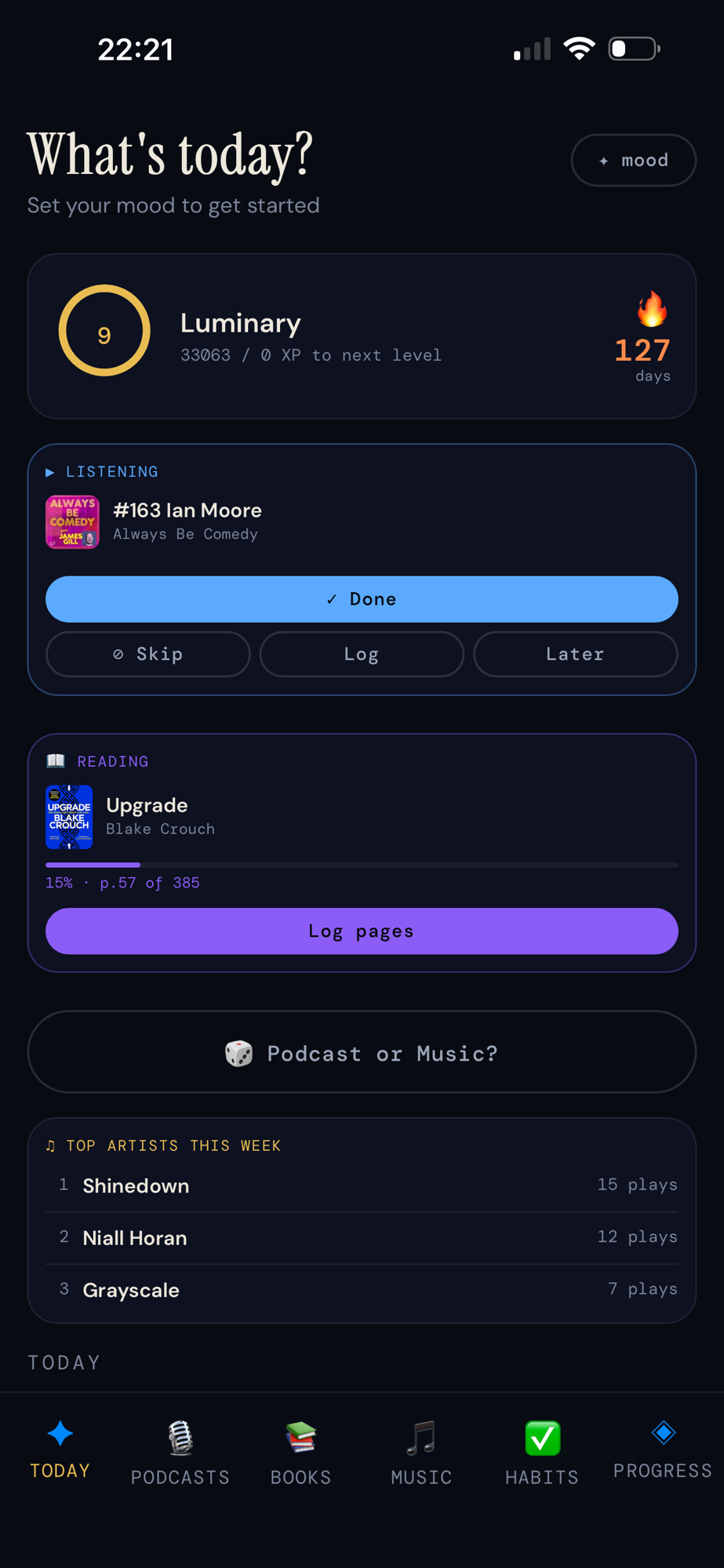
But it’s a different app now. Not just bigger (it’s somewhere north of 4,000 lines from the 3,181 it started at) but a different kind of app. The first version was a decision tool. This one is starting to feel like something that knows me.
Where We Left Off
The original Focus ND solved a specific set of problems: 191 podcast episodes I couldn’t see all at once, a book shelf that required a spin wheel to navigate, 35,000 songs playing on shuffle with no intention behind them, and tasks living on Post-it notes that never talked to any of it.
The app brought all of that into one place and asked a single question on every open: given how I’m feeling right now, what should I do next?
That core hasn’t changed. The Today tab still greets you with a mood check before it shows you anything else. The podcast backlog still sorts oldest first. The spin wheel still picks your next book. The gamification (XP, streaks, badges) is still surprisingly motivating for someone who thought they were too old for that kind of thing.
What’s changed is the depth of everything underneath.
The Problem With Solving Your Own Problems
Here’s something nobody tells you about building a tool for yourself: you keep using it, which means you keep noticing what’s missing.
A week after launch I realised I still had decision fatigue, not about what to read or listen to, but about which type of thing to do at all. Most evenings I’d finish a podcast episode and spend five minutes wondering whether to queue the next one or just put music on. Both are fine. Both are on my phone. But the friction of choosing, even between two good options, was enough to make me pick up Twitter instead.
So I built a 🎲 button.
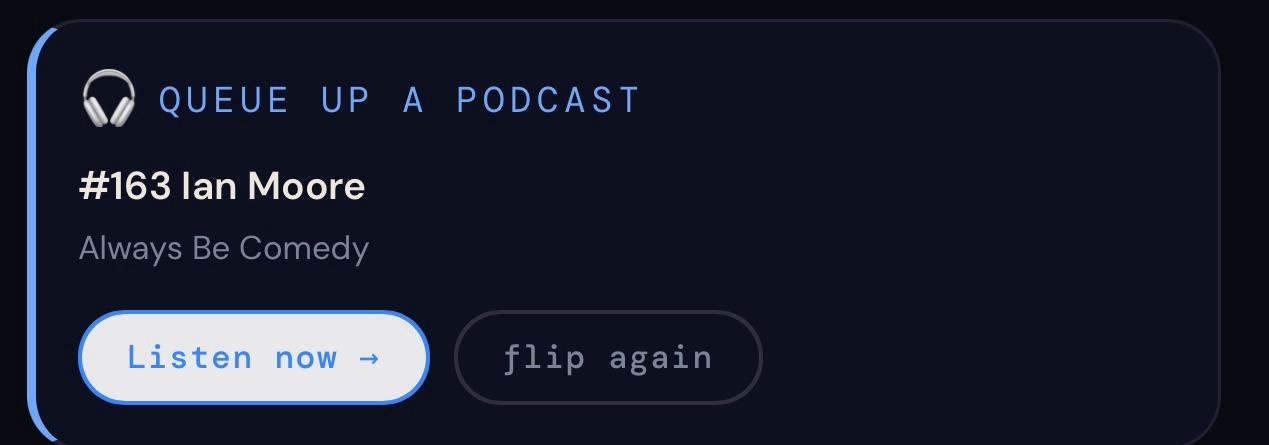
It lives on the Today tab, between the listening card and the Last.fm widget. It says “Podcast or Music?” and when you tap it, it gives you a verdict. If your backlog has five or more episodes, it leans 65% toward podcasts, not because music is less important, but because the backlog is a thing you’re trying to move through. If it lands on music, it opens my “Albums to Listen To” playlist directly in Apple Music.
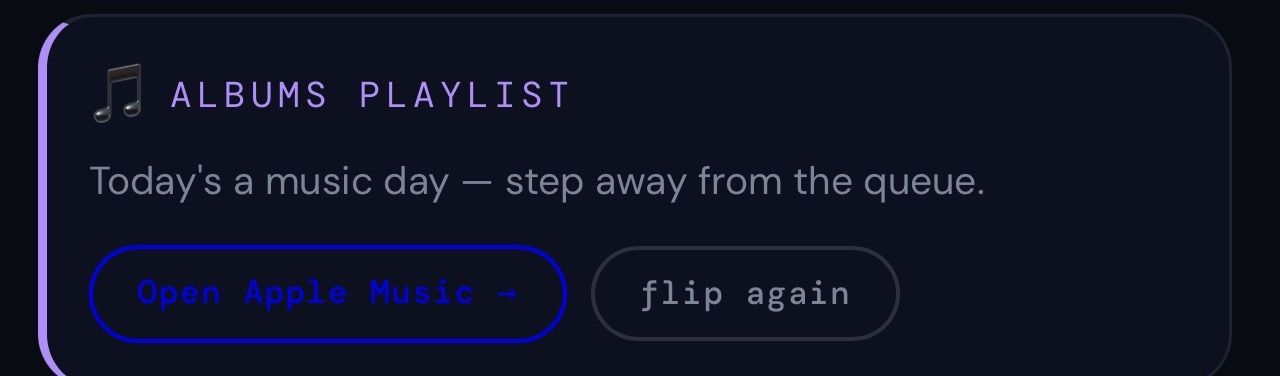
That playlist has over 900 songs in it. It’s not a comfort playlist, it’s a discovery backlog, the same shape as my podcast backlog. New artists I’ve found, new albums from favourites, things I’ve been meaning to listen to properly. It shrinks when I work through it. It grows when I find something new.
The button takes a decision that was costing me five minutes of low-level paralysis and turns it into zero seconds. That’s the whole point.
The Companion Got a Memory
The biggest change in five months is the AI companion, and it’s the part I find hardest to describe without sounding like I’m overselling it.
In March, the companion knew your mood, your podcast backlog size, what you were mid-episode on, and what you were currently reading. That was enough for useful nudges.
Now it knows a lot more. Every morning when you open the app, it fires a daily check-in: two or three sentences grounded in your actual data, ending with one question. Not “how are you feeling?” (you set that separately) but something specific. What it noticed about your reading pace this week. Whether you cleared a chunk of the backlog. Something it picked up from your recent listening.
The check-in saves to a rolling log. The last three go into every future AI call as context. So the companion can say things like “you mentioned finding Ciaran Lavery’s album a bit melancholy when you first listened, does that kind of reflective music help you focus or pull you somewhere else?” That’s a real exchange I had with it last week. It remembered because I wrote a note when I finished listening, and the notes go into context too.
The journal is the other new piece. After you mark an episode done, or finish a book, a small prompt slides up from the bottom of the screen. A text box, 280 characters, optional. “What struck you about this? Any thoughts.” You can skip it. Most of the time I write two sentences. Those entries are tagged to the episode or book, they show up in the companion’s context, and they make the AI’s responses feel less like advice from someone who just met you and more like conversation with someone who’s been paying attention.
What the Companion Actually Knows Now
“The AI knows about you” can mean almost anything, so here’s exactly what it means in practice.
When I send a message to the companion right now, the system prompt it receives includes:
- My current mood and the pattern of moods across the last two weeks
- My podcast backlog size and what’s next in the queue, with the age of the oldest unheard episode
- The last ten episodes I’ve listened to, with my ratings
- What I’m currently reading, how far through I am, and my reading pace in pages per day this week
- The last eight books I’ve finished, with ratings and how long ago
- My last five journal entries, including which episode or book triggered them
- The last three daily check-in summaries
- A profile of my four Apple Music playlists, what each one is for, the artists that define each one, and what genre territory they cover
- A live fetch of my Last.fm data: what I’m playing right now if anything, my top five artists this week by play count, and the last eight scrobbles with timestamps
That last one still feels slightly magic to me. The companion knows I was listening to Switchfoot at 11pm last night. It knows that’s from my All Time Favourites playlist, which it knows is my comfort and nostalgia territory, not my discovery playlist. It can make the inference. It usually does.
None of this required any new integration work beyond what was already there. Last.fm was already connected. The journal was a new feature but a small one. The rest was just taking data that already existed in the app and making it available to the AI.
A Neurodivergent App, More Neurodivergent
The first post talked about what neurodivergent-friendly means in practice. After five months of use I want to add something to that list: it needs to meet you where your attention actually is, not where your intention was.
The journal prompt after finishing an episode is a good example. I didn’t plan to become someone who writes notes about podcasts. I didn’t decide to start doing it. The app just asked, at exactly the right moment, when the episode was fresh, before I’d moved on, and I answered. Two sentences. Enough to capture something I’d have lost otherwise.
That’s the pattern I keep coming back to. Not making me do new things. Not adding tasks or friction or surfaces I have to remember to visit. Finding the moments that already exist, finishing something, opening the app, staring at the flip button, and making them carry a little more weight without asking for more effort.
The subscribe challenge works the same way. When I try to add a new podcast now, the app checks whether I’m already at my threshold. If I am, it shows me my lowest-rated shows and asks whether one of them should go to make room. I added this because I kept subscribing to podcasts I never actually listened to, which inflated my backlog without adding anything real. The app doesn’t stop me adding new shows. It just makes the cost visible at the right moment.

What Building It for Five Months Actually Feels Like
The collaboration has changed. In March it was mostly Claude leading and me reviewing, a senior developer who knew the stack far better than I did. Five months later I know this codebase. I know where things live, what functions do, which changes are safe and which are risky. Now I’m driving more of the decisions and Claude is the one catching edge cases, writing the tests, flagging what I’ve missed.
The test suite has grown with the app: 317 QUnit assertions across 33 modules, plus a Playwright suite covering the critical paths. The tests have saved me twice from changes that would have broken something I’d forgotten was connected. That’s the part I’d tell anyone starting this kind of project: write the tests, not because you think you’ll need them, but because they’re the only honest record of what you thought you were building.
What I’m Still Figuring Out
Cross-device sync is still the gap. My data lives in localStorage on my phone, which means if I clear Safari or switch devices I need the export. I’ve done that three times in five months, which is three more times than I expected. Supabase is the obvious next step. I keep not doing it because the app works, and working is the only metric that matters.
The companion’s 2-4 sentence limit is occasionally frustrating when I want to go deeper on something. I’ve kept it tight deliberately, I built it to nudge, not to lecture, but sometimes I find myself wanting a longer conversation and opening a separate Claude window instead. Whether that’s a bug or a feature I haven’t decided yet.
And the playlist problem remains partially unsolved. I can open my Albums playlist from the flip card. I can’t know which specific albums are in it or cross-reference them with my scrobbles to suggest I play something I haven’t touched in a while. Apple’s API requires authentication I haven’t built yet. That feature is real and I want it. It’s just waiting.
Why I’m Still Writing About It
In March I framed this as a job search project, something to keep my hands dirty and have to show in interviews.
I have a job now. I’m still building the app.
That’s the most honest thing I can say about it. It stopped being a portfolio piece somewhere around week three and became just something I use, maintain, and occasionally improve because improving it makes tomorrow slightly less exhausting than today.
The best productivity app is the one you actually open. The best version of that app is one that opens knowing something about you.
Focus ND is that app for me. I don’t know if it ever becomes something for anyone else. I’m not sure it matters.


